A Markdown viewer and editor for the AI round trip.
An agent writes a plan. You open it, read it, mark it up, edit a few
lines, and hand it back. Markdown is a small Mac app that makes that
half of the loop pleasant, and makes sure nothing you do damages the
other half. It is also where I take my notes.
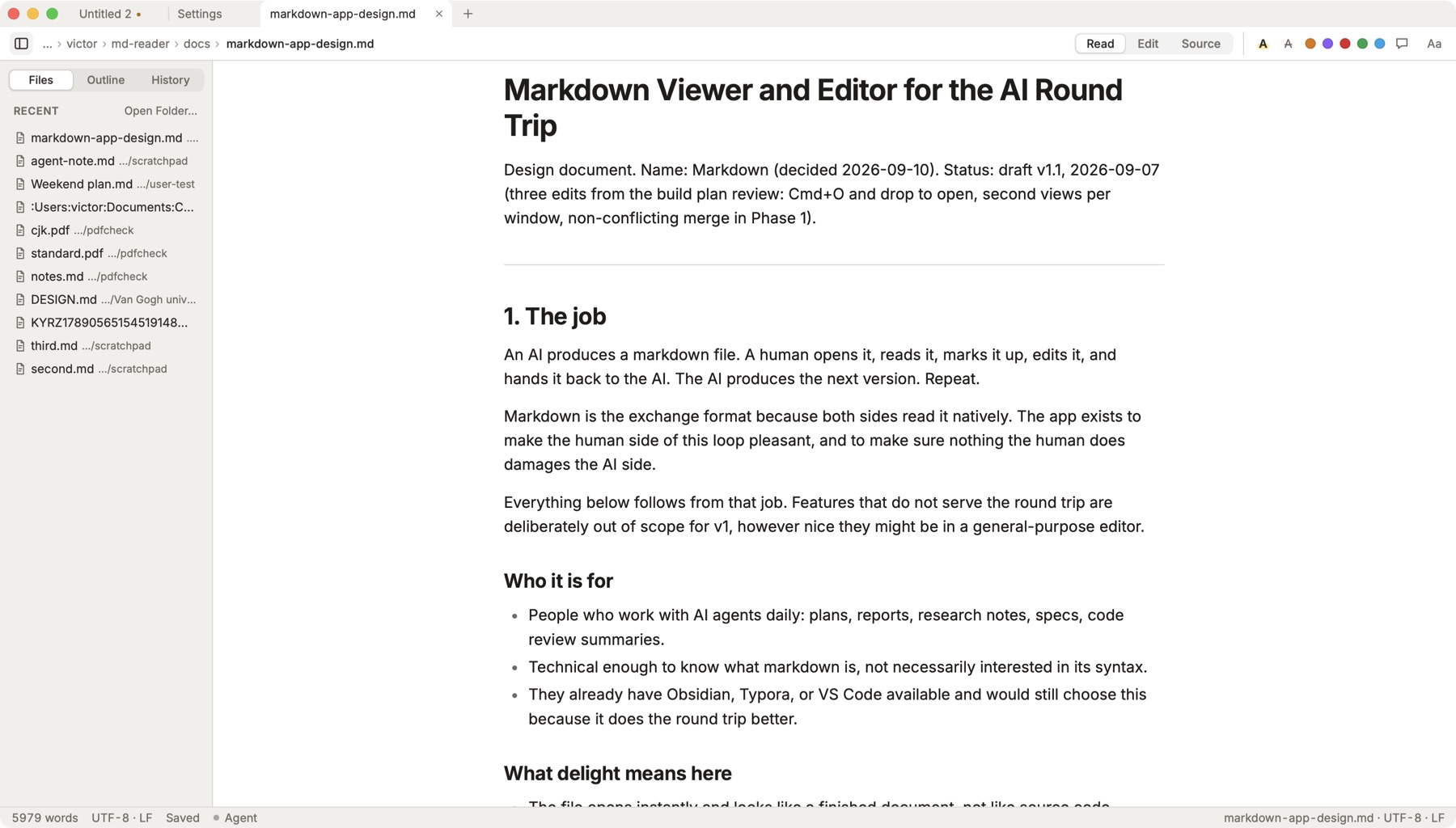
Read mode, with the folder in the sidebar. Edit and Source are one click away.
Why
I am a big fan of the Markdown format, which
John Gruber
created in 2004. It is simple and elegant. I started using a lot of
Markdown files once I began building with AI agents: they are perfect
for writing designs and plans and for recording status and bugs, for me
and for the AI agents. For now, they are the perfect human-machine
interface.
I used VS Code to read them, but it is too heavy and overbuilt for that,
and I did not find anything I liked. So I built this simple viewer and
editor. It also serves as my note taker.
What it does
Opens like a document
Double-click a file and it is there, rendered, with good type and an
outline that you can easily read and understand. Open a folder and
every file in it is a tab away.
Reads Word and PowerPoint too
What an agent makes for other people is often a document or a deck.
Open a .docx, a .pptx or a PDF and it is
pages, one under another, with find and zoom, and the file is never
touched. Read it here, tell the agent what to change, and take it
into Word or PowerPoint only at the end.
Your data for you and your AI
Every file remains yours and private in the strictest sense. No cloud
upload. Everything is local: your files stay on your disk, and an
agent reaches them directly, with a key you hand it and only for what
you have open.
Nothing interrupts you
When an agent rewrites the file while you have it open, the change
appears in place, your cursor stays where it was, and the parts that
changed are marked. A conflict shows both versions inline. No
“reload?” dialogs.
Marks that travel
Highlights, notes, strikes and colours are written into the file as
plain Markdown, readable by any tool and any model. Copy for AI puts
the document and your notes on the clipboard, ready to paste into a
chat.
Talks to your agent
While it is open, the app runs a local MCP server. An agent can read
what you have in front of you and what you marked, write a version
back under its own name, and put a file in front of you that was not
open.
A note taker, too
A thought before it goes, the to-do list for today, a brief for the
agent. Cmd+N, a heading, a few lines, save. The file lands in the folder
you are in, named from the heading. No template, no dialog, no vault to
set up, no account. Tick a box when a task is done. A note is a plain
Markdown file on your disk, so an agent can read it tomorrow and so can
you in twenty years.
Pick a paper and a typeface once, then there is nothing between you and
the text. The app does not badge, does not nag, and does not ask you to
reload. It stays quiet until you have something to say.
Compared with what exists
VS Code reads Markdown along with everything else, and carries
everything else with it. Obsidian is a vault with a graph and a plugin
ecosystem, a second brain that needs tending. Notion and Apple Notes keep
your writing in their database, where an agent cannot reach it. Typora
and iA Writer are lovely to write in, and were designed before agents
began writing files next to you.
Markdown is a folder of plain files, an editor that stays out of the
way, and an app that expects an agent to be reading and writing beside
you. That is the whole idea.